



how to use ZONE
We made a short video for everything ZONE can do, filmed in our studio in Delft. Most of it works on every ZONE, a few things are New Edition only.
start here
all of ZONE in under 3 minutes
Just got your ZONE? This one video covers it all. Tap a chapter to jump straight to it.
Filmed with the New Edition. The basics, your own times and reset work the same on the original ZONE.
which ZONE do I have?
Look at the + button: textured or smooth.
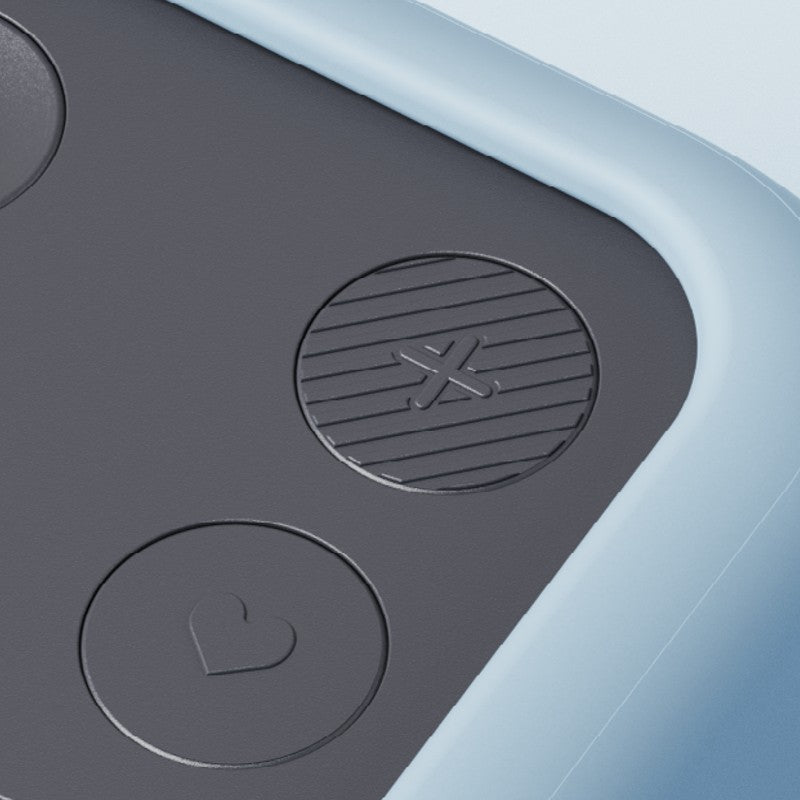
ZONE New Edition
Textured + button. Adds hourglass mode, brightness, silent mode and a low battery warning. Every ZONE shipped from 28 September 2026.
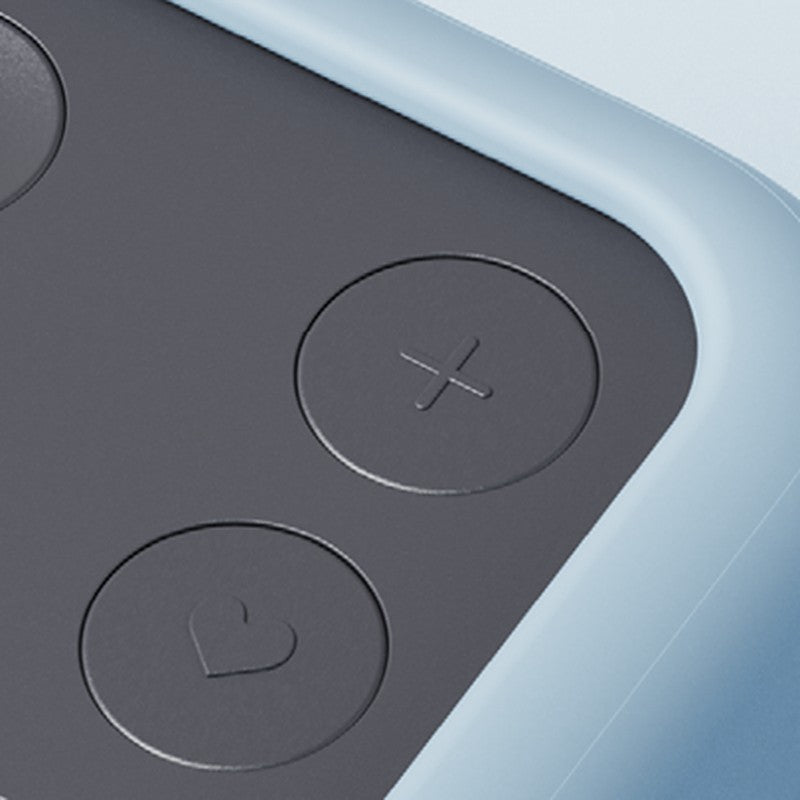
ZONE (2025 edition)
Smooth + button. Minutes display, volume and vibration alert.
the basics
These work on both editions.
start, pause and resume
- Turn ZONE so the time you want faces up. The countdown starts right away.
- To pause, flip ZONE screen-up, or press ▷.
- Turn it back onto a side, or press ▷ again, to carry on.
Out of the box the sides are set to 60, 25, 10 and 5 minutes.
set your own times
- Place ZONE with the side you want to change facing up.
- Press and hold the ♡ button for 2 seconds.
- Press the + button to add minutes. After 99 it starts again at 1.
- Press the ♡ button to save.
back to factory times
- Press and hold the ♡ button for 2 seconds, then release.
- Press and hold the ♡ button again for 6 seconds.
- Press the ♡ button once more to confirm.
The sides go back to 60, 25, 10 and 5 minutes.
the New Edition
New: hourglass mode, adjustable brightness, a completely silent mode, a low battery warning at 20%, a textured + button so you can add minutes without looking and a USB-C to USB-C cable. Sound modes work much like before. Each setting is explained in under 40 seconds.
hourglass or numbers
Double-press ▷ to switch between an hourglass and minutes.
why an hourglass?
The same session as minutes and as an hourglass, side by side.
screen brightness
Softer for a dark room, brighter for a sunny desk.
sound modes
Choose how ZONE lets you know a session has finished.
silent mode
No sound at all. When your time is up, all pixels flash to catch your eye. Handy in a shared office or a meeting.
all new features in one go
Hourglass mode, switching modes, brightness and silent mode in one video.
original ZONE (2025 edition)
volume and vibration
Press the ♪ button to change the volume of the chime. Hold it to switch to the vibration alert.
everything else
Starting, pausing, your own times and reset work exactly as in the videos above.
charging and care
charging
Use the cable that came with ZONE: USB-C to USB-C on the New Edition, USB-A to USB-C on the original. A red light next to the port means it is charging and goes off when ZONE is full. A full charge takes about 4 hours and lasts about 20 hours. The New Edition warns you when 20% is left.
care
Clean with a soft, dry cloth, no chemicals or running water. Use indoors, between 10 and 40 °C. Keep ZONE at least 15 cm away from implanted medical devices.
FAQ
Something not quite right? These are the questions we get most.
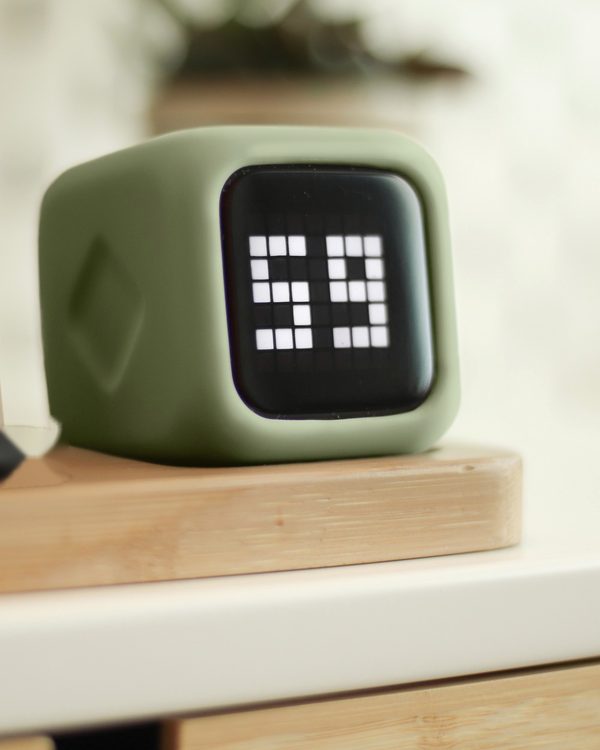
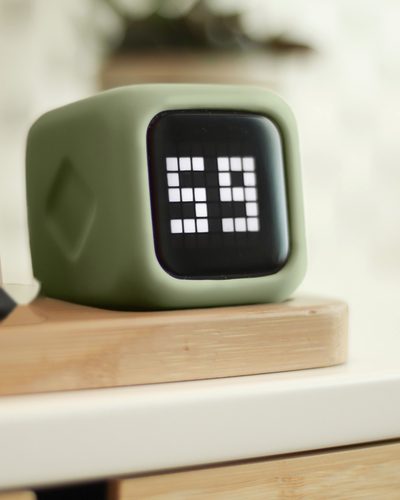
My ZONE shows 49 pixels and no minutes
Your ZONE is in hourglass mode. The time drains away as pixels instead of a minute count. Quickly double-press ▷ to switch back to minutes.
The display shows 9 dots and no numbers
ZONE is paused. Turn it onto one of its sides or press ▷ to continue.
ZONE does not respond
Charge it for about 4 hours with the cable that came with it, then try again.
My sides show other times than 60, 25, 10 and 5
Someone set their own times. To reset: hold the ♡ button 2 seconds, release, hold it 6 seconds, then press once to confirm.
Can I set a one-off time?
Yes. Press the + button to add minutes, and hold it to go faster.
Does ZONE switch itself off?
Yes. After a session ends it switches off after 2 minutes, and when paused the display stays on for 15 minutes. Hold ▷ to switch it off yourself.
Does ZONE show seconds?
No, only minutes. On purpose, so there is nothing ticking away while you work.
I have the original ZONE (2025). Should I upgrade?
Only if the new features would make a real difference to your day: hourglass mode, brightness, silent mode or the low battery warning. Flip to start, your own times and the minutes-only display work the same on both.
Where can I find all the videos?
On YouTube: the New Edition playlist and the original ZONE playlist.